Close the app.
The work continues.
A background daemon preserves sessions, processes, and scrollback. Return to find everything where you left it.
DAEMON ONLINE · 4 PTY ATTACHED
 OPENMULTITERM
TERMINAL WORKSPACE · OPEN SOURCE
Organize shells, servers, and AI agents in one persistent workspace. Close the window if you want—your processes will neither take it personally nor die.
~/projects/api $ npm run dev
✓ Server ready on :4000
Watching for changes
~/projects/app $ codex
› Analyzing the architecture…
Context loaded. Let’s go.
~/projects/app $ npm test
✓ 42 tests passed
Time: 1.37 s
[18:42:07] connection established
[18:42:08] session restored
daemon: everything is fine™
FEWER WINDOWS. MORE CONTEXT.
OpenMultiTerm brings processes, projects, and agents into a flexible grid that remembers where you were.
A background daemon preserves sessions, processes, and scrollback. Return to find everything where you left it.
Flexible panes, drag & drop, and layouts that remember every working directory.
Detect, install, and launch your favorite CLIs with profiles ready for work.
Perfect for repeated commands. Also perfect for thinking twice before pressing Enter.
Find commands across sessions with Ctrl + Shift + P.
BUILT FOR WORK
Retro-futurist backgrounds, dark and light themes, readable type, and compact controls. The space city is optional; seeing the TypeScript error is not.
Explore every feature →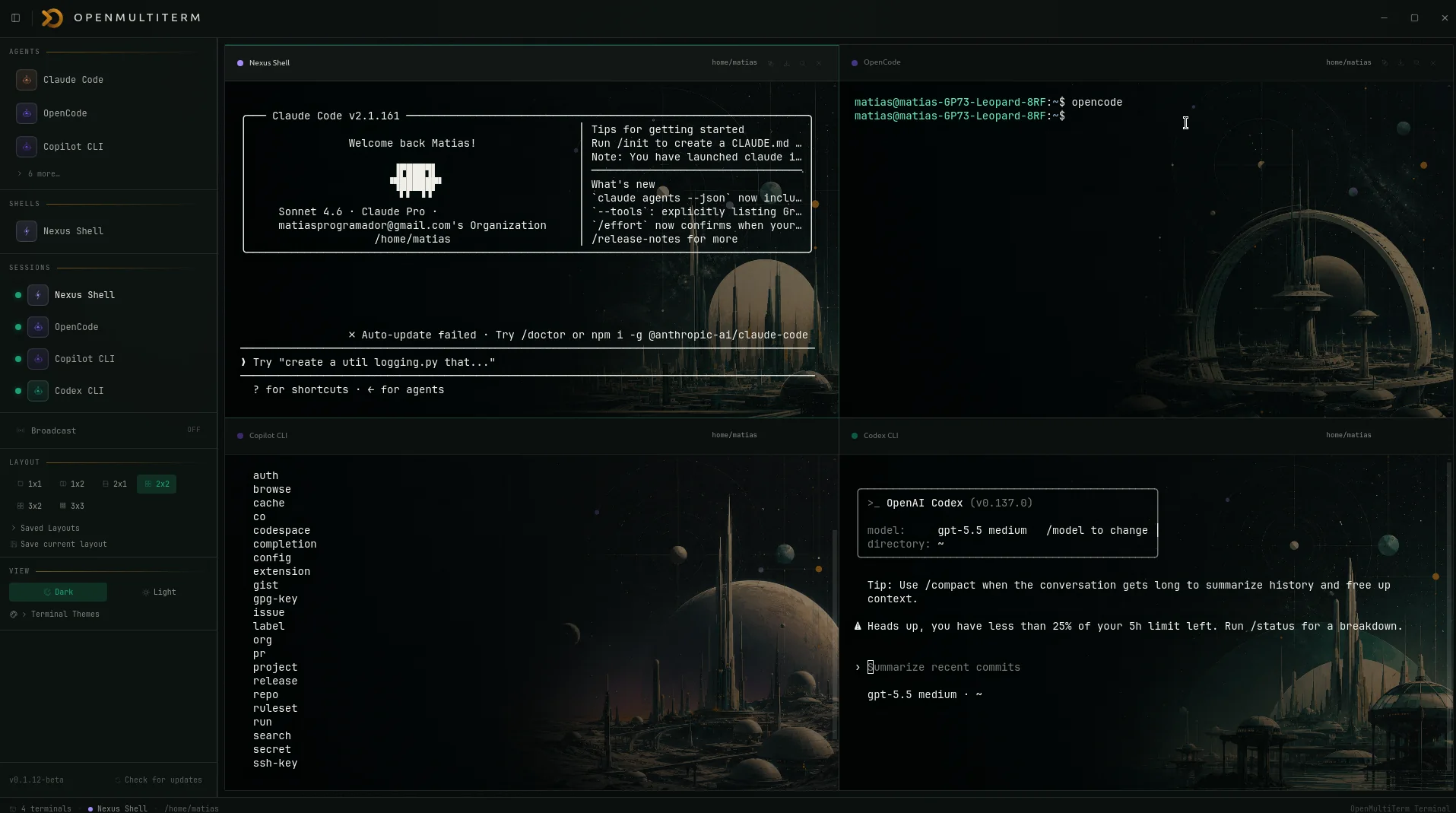
DEVELOPMENT LOG
Windows wants an installer, macOS wants a DMG, Linux wants options. We wanted every download to open.
Read the story →The terminal looked into the future, found an orbital city, and decided it was a perfectly reasonable place to run tests.
Read the story →Because “Terminal 3” is not very helpful when one pane points to production and another to a folder you swore you deleted.
Read the story →READY FOR LAUNCH
Download the beta, try it with real work, and tell us what breaks first.